














Blogs:

People Insight platform update (May 2026) 

Richer reporting. Smoother action.

Platform update May 2026

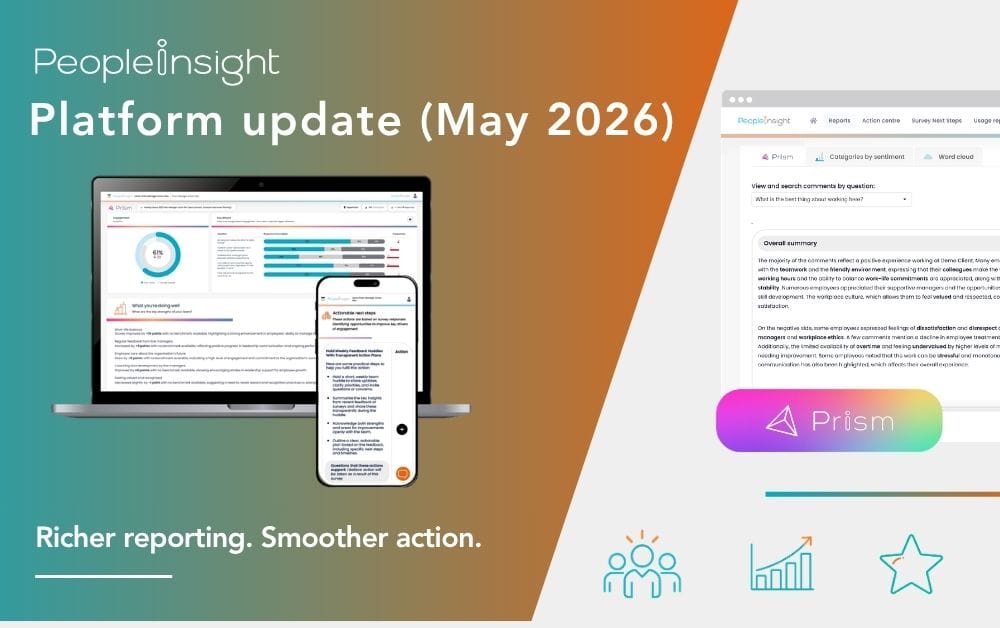
    A quick insight: May’s platform update is centred on a better reporting experience. With the most significant iDeck update since launch, alongside improvements to survey design, dashboard clarity and action planning, this release makes results easier to explore, share and act on. 

    May’s platform update focuses on improving how results are presented, explored and shared. 

    From a significantly enhanced iDeck experience to smarter survey setup, clearer dashboard options and stronger action planning outputs, these updates are designed to make reporting more useful and easier to work with across the platform. 

    It is a strong example of People Insight’s approach to sharper listening and smarter action in practice: clearer ways to surface insight, more practical tools for sharing it and stronger support for turning findings into visible progress. 

    Related: What is employee listening? 

    What’s new in this platform update?

    This release includes the most significant iDeck update since launch, alongside a wide range of improvements across survey design, dashboard reporting, translations, action planning and 360 feedback administration. 

    Together, these changes create a richer and more practical reporting experience, helping teams explore findings more clearly, share them more effectively and take action more easily. 

    A major update to iDeck 

    This month’s headline update is a major enhancement to iDeck. 

    The latest update makes iDeck more useful, easier to navigate and more practical for sharing with leadership teams. It gives users a richer reporting experience, clearer structure and more support in identifying where to focus next. 

    The iDeck changes include: 

    Prism-generated suggested actions 

    Action Areas now includes Prism-generated suggested actions based directly on survey results. This helps users move more easily from insight into action, giving managers and leaders a stronger starting point for planning what happens next. 

    More clearly structured content 

    iDeck content is now more clearly organised, making it easier to navigate and present. This supports better conversations with senior stakeholders and helps teams move through findings with more clarity and confidence. 

    Richer comparisons 

    iDeck now supports up to two comparators, alongside a dedicated comparative results section that helps highlight where organisations are strongest, where they are weakest and what has improved or declined since the previous survey. 

    This gives leaders a more rounded view of performance and change over time, making it easier to identify priorities and tell a clearer story with the results. 

    Deeper comments analysis 

    Each open question now includes a richer layer of comments analysis, helping users explore key themes, summaries and selected verbatim comments in a more structured way. 

    This makes it easier to understand what sits behind the scores and where follow-up attention may be needed. 

    Demographic heatmaps 

    Theme scores can now be explored across collected demographics through heatmap views, helping users spot variation across groups more easily and identify patterns that may otherwise be missed. 

    A refreshed design 

    Alongside these reporting improvements, iDeck has also had a broader design refresh. The result is a cleaner, more modern experience that feels easier to work through and easier to share. 

    Taken together, these changes make iDeck a stronger tool for communicating results, focusing attention and helping leaders move from understanding to action. 

    Main platform improvements

    Alongside iDeck, this release includes a wide range of updates across the main platform. 

    More flexible answer selection 

    Admins can now set minimum and maximum answer selection limits on multiple choice and scaled single select questions. This adds more flexibility in survey design and supports question formats where respondents are asked to choose within a defined range. 

    Easier answer deselection on the review page 

    Respondents can now remove a previously selected answer directly from the review page for non-mandatory questions, allowing it to return to skipped without needing to go back through the survey. 

    Cross-section drag and drop 

    Questions can now be dragged and dropped between survey sections. This makes survey editing more flexible and helps teams refine survey structure more efficiently. 

    Auto-translate extended into more areas 

    Auto-translate now applies when adding new content across more parts of the platform. 

    Newly supported areas include comment, SSVQ and MCQ questions, including answer options, descriptive content sections and reporting sections in Structure, as well as welcome, thank you, login and holding pages, plus email and SMS templates in Design. 

    This helps reduce manual effort and supports smoother multi-language survey setup. 

    Dashboard and reporting enhancements

    This month’s release also includes useful reporting improvements that make dashboards clearer and easier to work with. 

    No Comparator option on dashboards 

    Users can now explicitly choose no comparator on dashboards, including where Survey Overall is the only available option. This gives users more control over how results are viewed. 

    Clearer percentage labels in MCQ breakdowns 

    MCQ demographic breakdown percentages now include fuller denominator context, helping users understand exactly what each percentage refers to within a filtered group. 

    This makes reporting clearer and reduces the risk of misinterpretation. 

    Standardised comparator display order 

    Comparison datasets now appear in a consistent order across dashboard views, iDeck views and the Admin comparator section: Survey Overall, then Historic, then External. 

    This creates a more joined-up reporting experience and makes comparisons easier to follow. 

    Action planning improvements

    A number of updates in this release also support stronger and more informative action planning. 

    More complete Action Planning PDF exports 

    The Action Planning PDF export now includes additional detail, including action owner and initiator names. This makes outputs more useful for sharing, reviewing and supporting accountability. 

    Improved guidance within comments 

    A new guidance prompt has been added to the Comments modal to help users describe intended outcomes and required resources more clearly. 

    This should support better quality action planning and more practical follow-through. 

    Survey Health Check improvements 

    The AI prompt behind Survey Health Check has been significantly enhanced. 

    It now includes survey fatigue risk analysis, demographic design recommendations, actionability assessment, display logic review and follow-up question placement guidance. A further constraint has also been added to avoid unhelpful recommendations around optional demographic questions where respondents can already skip. 

    This makes Survey Health Check more useful as a practical survey design support tool, helping teams build stronger, clearer and more actionable surveys. 

    What this all means for you

    May’s platform release is about making results easier to work with. 

    The enhanced iDeck experience gives organisations a clearer, more structured way to explore and share findings. Survey and dashboard improvements add flexibility and clarity behind the scenes. Action planning updates make outputs more useful and practical, while the latest 360 improvements reduce admin effort and improve reliability. 

    Taken together, these changes make reporting more useful, survey setup more flexible and follow-through easier to support across the organisation. 

    If you would like to explore these new features or strengthen the way your organisation turns insight into action, get in touch to see how People Insight can help you create more visible progress from employee feedback. 


    See how we’ve evolved:   

    People Insight platform update (April 2025)     

    People Insight platform update (May 2025)     

    People Insight platform update (June 2025)   

    People Insight platform update (July 2025)   

    People Insight platform update (August 2025)   

    People Insight platform update (September 2025)   

    People Insight platform update (October 2025)   

    People Insight platform update (November 2025)     

    People Insight platform update (January 2026)   

    People Insight platform update (February 2026)  

    People Insight platform update (April 2026)