














Our experienced team works alongside organisations to help them design, deliver and communicate their listening programmes. From survey distribution to strategic guidance, we’re here when you need us
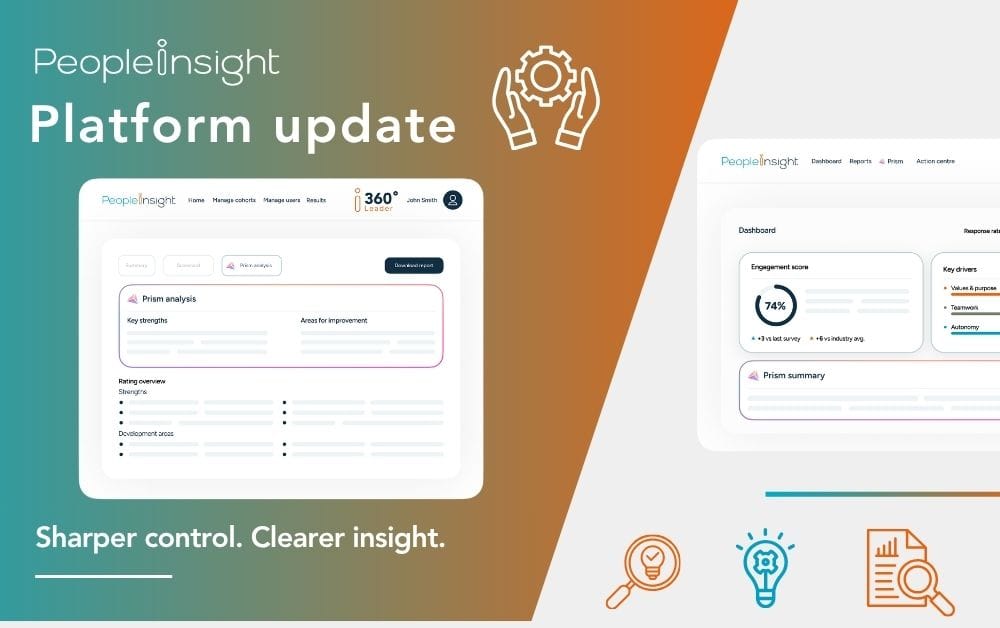
A quick insight: April’s platform update strengthens dashboard user management, improves reporting clarity and smooths key platform workflows. From more flexible permissions and better governance to clearer score visibility and stronger action planning outputs, these enhancements help organisations manage employee listening more confidently and act on insight with greater precision.
This month’s platform update is focused on helping organisations get better insight into managers’ hands more quickly, more clearly and with more useful detail.
From stronger dashboard user management to clearer reporting and improved Action Planning outputs, these enhancements are designed to support sharper listening and smarter action at every stage.
This release brings major improvements to dashboard user management, alongside enhancements to reporting clarity, Prism interactions, Action Planning and 360 feedback. Together, these updates help organisations get results into managers’ hands more quickly, with less effort and more useful detail, while making follow-through easier too.
These changes support sharper listening and smarter action by helping organisations manage access more effectively, interpret results more clearly and move forward with greater confidence.
Let’s take a closer look.
What’s new in this platform update?
This release includes a major update to Dashboard User Management, alongside a series of reporting, Action Planning and platform usability enhancements. You will see stronger governance, clearer data visibility and a more intuitive experience across several key areas of the platform.
Dashboard User Management enhancements
This month’s most significant update is a major step forward in how dashboard users are configured and managed.
These changes are designed to simplify administration while giving organisations greater flexibility and control over dashboard setup, permissions and governance.
More flexible permissions management
We have introduced an improved permissions matrix, making it possible to update filter settings directly at dashboard, group or individual user level. This gives administrators more precise control over what different users can access and supports more tailored dashboard configurations across complex organisational structures.
Simpler default settings for dashboard groups
Dashboard user groups now inherit settings from the dashboard by default. This makes setup more intuitive and reduces manual configuration, particularly for organisations managing multiple groups or layered access arrangements.

Clearer user management workflows
We have improved dashboard user workflows to provide clearer visibility of available users and reduce the risk of duplicate additions. This helps administrators move through setup and maintenance more efficiently while improving confidence in the accuracy of user configuration.
Greater flexibility in user activation
Administrators can now activate or deactivate individual users within groups where permissions allow. This creates more flexibility in how access is managed over time and supports real-world organisational changes without unnecessary complexity.

Updated role naming
Role names have been updated to better reflect organisational hierarchy. There is no change to underlying permissions, but the revised language makes dashboard structures easier to understand and navigate.
Together, these enhancements make dashboard administration more intuitive, more flexible and better suited to organisations that need strong governance alongside practical ease of use.
Reporting and insights enhancements
This update also includes several important reporting improvements designed to make results easier to interpret and more useful in practice.
New n-count visibility
For lifecycle surveys and comparison data sets, dashboard users can now see the number of responses behind their data, including threshold indicators. This adds useful context to reporting and helps users interpret results with a clearer understanding of the response base.
More detailed Excel exports
Survey Excel exports now include a full 5-point scale breakdown alongside the existing 3-point summary. This gives teams a richer view of response patterns and supports deeper analysis where more detail is needed.
Clearer score display
We have improved the way scores are displayed in situations where rounded values appear identical despite small underlying differences. This helps reduce ambiguity and gives users a clearer picture of performance when comparing results.
Prism and dashboard experience improvements
A number of refinements have also been made to Prism and the broader dashboard experience.
Improved handling of anonymity thresholds
We have further enhanced how anonymity thresholds are handled to avoid interactions that could feel misleading where more detailed data cannot be shown. This creates a clearer, more trustworthy experience for users and helps maintain confidence in how sensitive feedback is protected.
General usability refinements
Additional dashboard usability improvements have been introduced to support clearer navigation and a more intuitive reporting experience. These changes may feel subtle, but they contribute to a smoother day-to-day experience for dashboard users.
Action Planning and output enhancements
This update includes improvements that strengthen the connection between insight and implementation.
Easier access to Action Planning
We have resolved issues affecting access to Action Planning from dashboards and emails. This helps users move more smoothly from survey results into action, without unnecessary interruption.
Enhanced Action Plan PDF export
Action Plan PDF exports now include a summary appendix containing dashboard and user details. This makes outputs more useful for sharing, reviewing progress and supporting accountability, especially when plans are printed at scale for display in offices, stores or other team environments.
Platform improvements and fixes
Alongside these larger changes, we have delivered a range of fixes and performance improvements across the wider platform.
Simpler password reset experience
We have improved the reliability of password reset workflows to make account access smoother and reduce friction for users.
Survey setup and configuration fixes
There have been several improvements relating to survey setup and configuration, ultimately helping administrators move through project setup with greater ease and fewer interruptions.
Improvements to iDeck outputs and translations
We have made improvements to iDeck outputs and translations to support clearer outputs and a more dependable experience across reporting and presentation materials.
Action management and navigation fixes
A number of fixes affecting action management and navigation have been made, contributing to a smoother platform experience overall.
360 Feedback updates
We have also introduced useful enhancements to the 360 Feedback experience.
Re-open completed rater assessments
Admins can now re-open completed rater assessments without backend support. This gives teams more flexibility when managing live projects and reduces delays where changes are needed.
Improved report access for cohort admins
Report access has been improved for cohort admins, making it easier to manage and review results at cohort level.
Enhanced data extracts for deeper analysis
Data extract capabilities have been expanded to support deeper analysis and more detailed review of 360 feedback data.
What this means for you
April’s platform update strengthens both the control and clarity behind employee listening.
Administrators gain more flexible dashboard management, stronger governance and simpler setup. Dashboard users gain clearer context behind results and a smoother reporting experience. Leaders and managers benefit from more reliable access to Action Planning and stronger outputs that support visible follow-through.
As ever, these changes are about more than product refinement alone. They are about helping organisations listen more clearly, understand results with greater confidence and turn insight into meaningful improvement.
If you would like to explore these new features or strengthen your approach to action planning, get in touch to see how People Insight can help you turn employee feedback into visible progress.